The Work List Generator is a tournament coaching tool that automatically creates fair and randomized work assignments for your players. When working matches at tournaments, teams typically need players to serve in officiating roles (line judges, scorekeepers, etc.). This feature eliminates the hassle of manual assignment and ensures everyone gets a turn.
What is a Work List?
At most volleyball tournaments, teams are required to provide workers to help officiate matches. These work assignments typically include:
- Line Judge 1 & 2: Officials who call lines on opposite corners of the court
- Score Flipper: Displays the current score on the flip board
- Book: Records official match statistics
- Libero Tracking: Tracks libero substitutions
- Down Ref: Assists the up referee (head official)
Note: The generator assumes the coach will serve as the Up Ref (head official), so this position is not included in player assignments.
Accessing the Work List Generator
To access the Work List Generator:
- Navigate to your team dashboard
- Select your team from the Teams menu
- Look for the Work List option in your team navigation
Prerequisite: You must have players added to your team roster before using the generator.
Generating a Work List
Creating assignments for your team is simple:
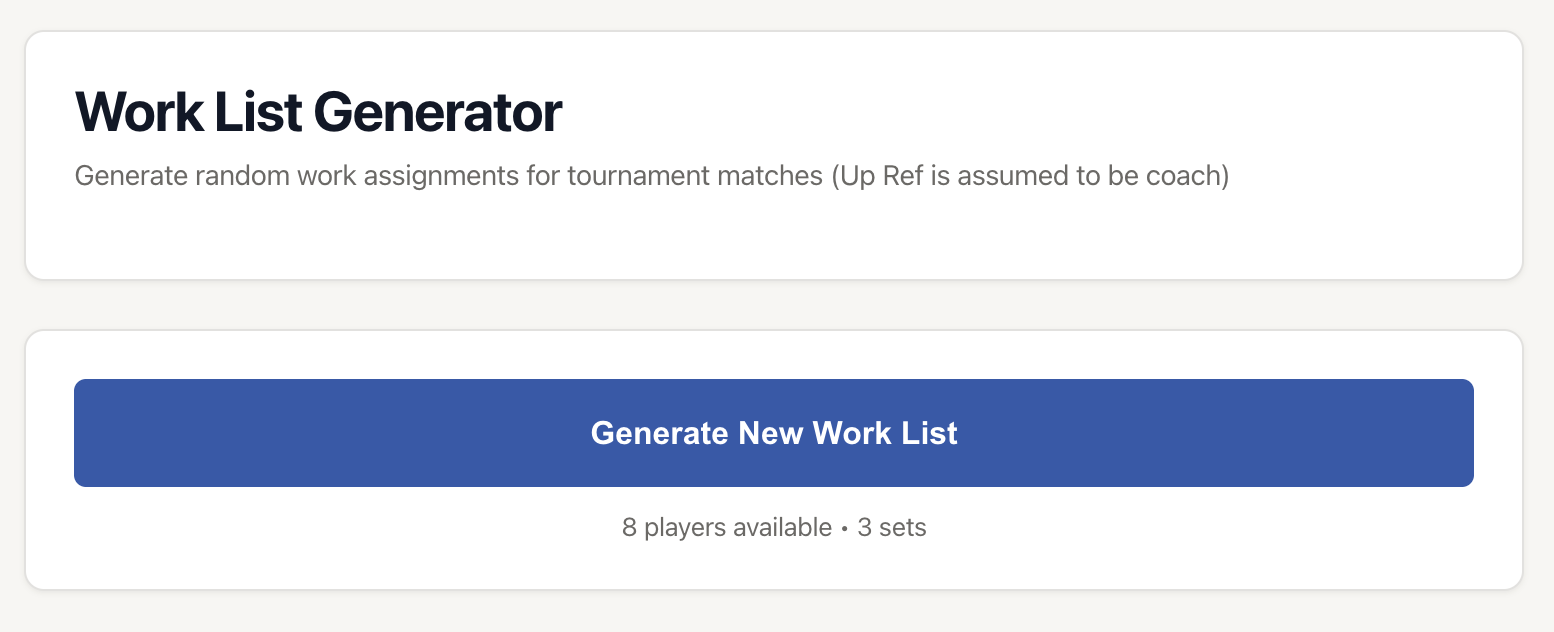
- Click the "Generate New Work List" button
- The system automatically creates assignments for 3 sets
- Review the assignments for each set
- If you want different assignments, click "Generate New Work List" again
The generator displays how many players are available and confirms it will create assignments for 3 sets.
How the Generator Works
Smart Assignment Algorithm
The Work List Generator uses an intelligent algorithm to create fair assignments:
- Job Distribution: Tries to assign each player different jobs across the 3 sets
- Avoid Repeats: Prioritizes giving players new positions they haven't worked yet
- Fair Rotation: If everyone has done a job already, it redistributes evenly
- Random Selection: Uses randomization to ensure variety between generations
Set Coverage
The generator creates assignments for 3 sets because:
- Most volleyball matches are best-of-3 or best-of-5 sets
- Teams can reuse the same assignments if a 4th or 5th set is needed
- Three sets provide good rotation through different positions
Understanding the Work List Display
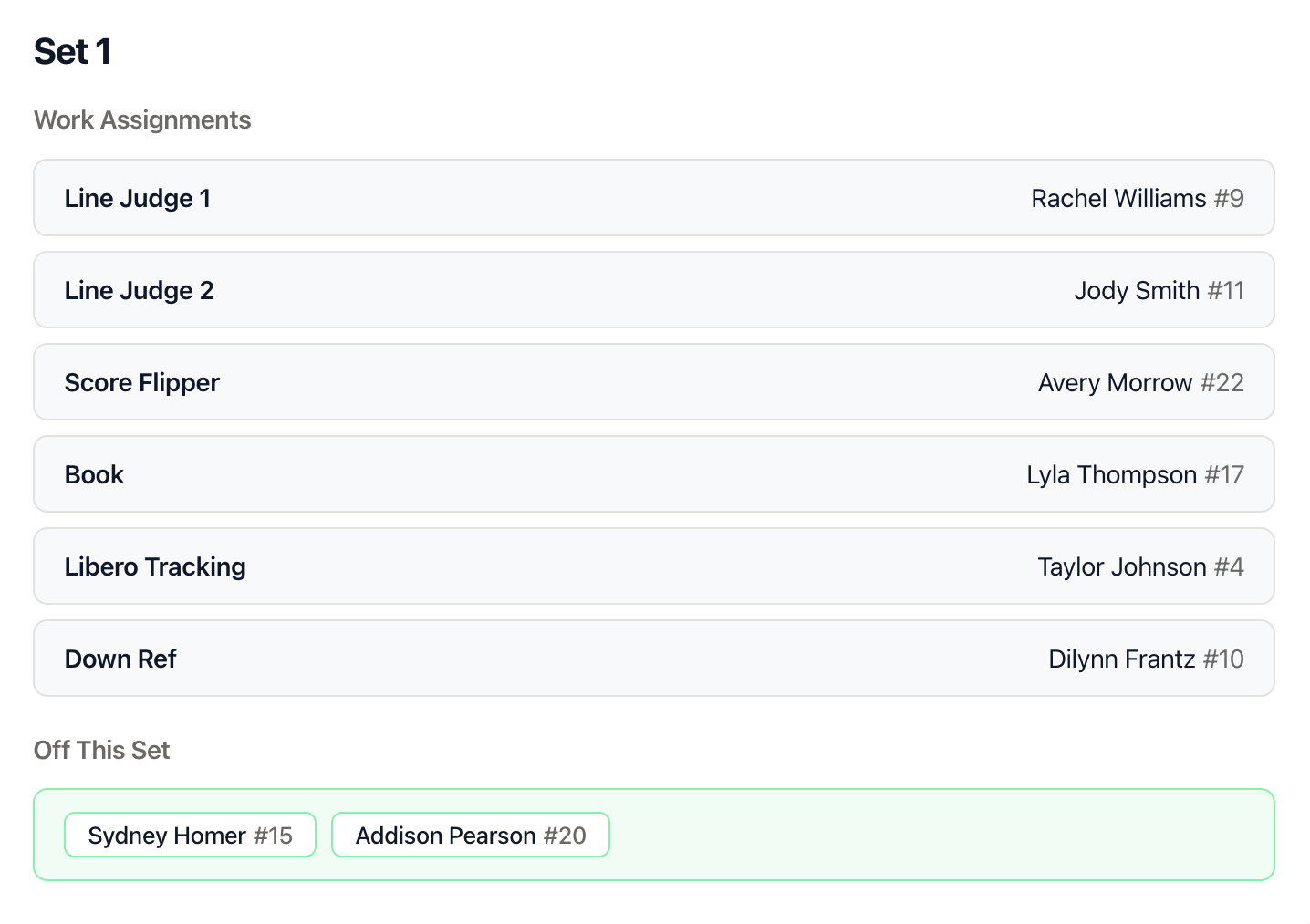
Once generated, the work list shows three separate sections, one for each set:
Set Header
Each section is clearly labeled "Set 1", "Set 2", or "Set 3"
Work Assignments
Under "Work Assignments", you'll see all six positions with assigned players:
- Position name on the left (e.g., "Line Judge 1")
- Player name and number on the right (e.g., "Sarah Johnson #12")
Off This Set
Since there are 6 working positions and teams typically have more than 6 players, some players will be "off" each set. These players are shown in a green-highlighted section labeled "Off This Set".
Players who are off can:
- Rest and prepare for their next working set
- Warm up
- Watch the match and scout opponents
Downloading Your Work List
Once you're satisfied with the generated assignments, you can save them as an image, to share with your players:
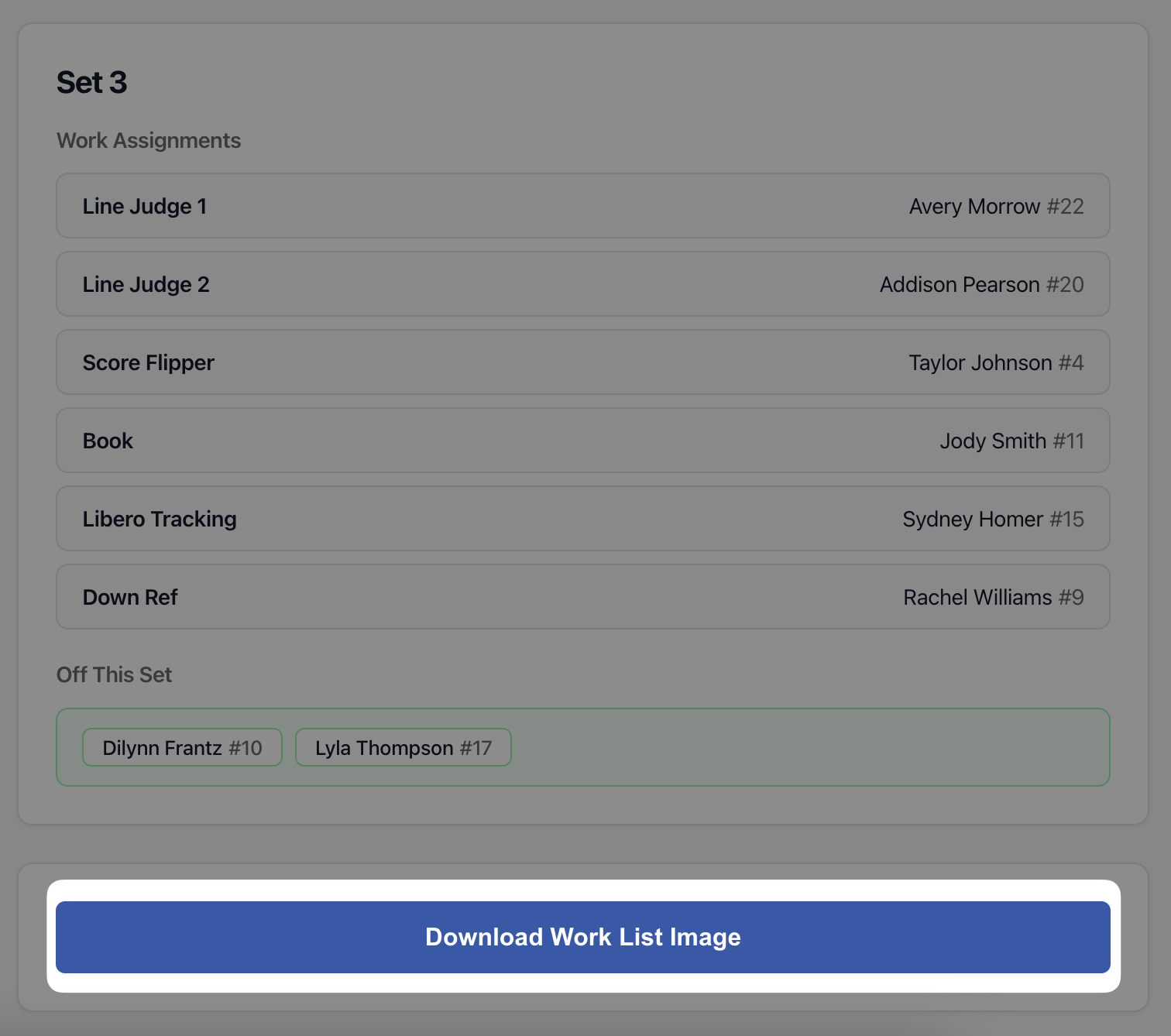
- Review the assignments to make sure they look good
- Scroll to the bottom of the work list
- Click "Download Work List Image"
- A PNG image will download to your device
What the Downloaded Image Includes
The downloaded image contains:
- "Work List" header at the top
- All three sets with their complete assignments
- Player names and numbers for each position
- List of players who are off each set
- Professional formatting ready to print or share
Using the Downloaded Image
You can:
- Text or email it to your team
- Share it in team group chats
- Keep it on your phone for quick reference during matches
Best Practices
Generate Before the Tournament
Create your work list a day or two before the tournament. This gives players time to know their assignments in advance and reduces confusion on tournament day.
Have a Backup Plan
If a player is absent on tournament day, have a plan for covering their assignments. The "off" players for each set can step in as needed.
Regenerate for Each Tournament
Generate a fresh work list for each tournament event. This ensures different players get different positions and everyone gets fair rotation throughout the season.
Review Before Downloading
Check the generated assignments before downloading. If you notice any issues (like a player assigned multiple times in one set, which shouldn't happen), simply regenerate the list.
Communicate Expectations
Before the tournament, remind players to:
- Check the work list to know their assignments
- Arrive at their assigned court 5 minutes early
- Ask questions if they're unfamiliar with a position
- Be ready to cover for absent teammates if needed
Tips and Tricks
Don't Like the Assignments?
Simply click "Generate New Work List" again. Each generation is randomized, so you'll get different assignments. Keep regenerating until you find a distribution you like.
Saving Multiple Versions
If you're coaching multiple teams or have multiple tournaments coming up:
- Generate a work list
- Download the image
- Rename the downloaded file to include the tournament name (e.g., "work-list-spring-invitational.png")
- Generate another list for the next tournament
Teaching New Workers
For players who haven't worked a tournament before, assign them to work alongside experienced players in Set 1. Use the regenerate function until you get assignments that pair newbies with veterans.
Special Considerations
If certain players are particularly good at specific positions (e.g., one player is excellent at keeping book), you can:
- Generate a list
- Manually note any position swaps needed
- Communicate these changes to the team
Common Scenarios
Small Roster (6-8 Players)
If you have exactly 6 players, all players will work every set with no one off. If you have 7-8 players, only 1-2 players will be off each set, ensuring good rotation.
Large Roster (12+ Players)
With a larger roster, more players will be off each set. The algorithm ensures everyone gets roughly equal work assignments across the three sets.
Tournament Day Absences
If a player is absent on tournament day:
- Identify which sets they were assigned to work
- Look at who was "off" for those sets
- Ask an "off" player to cover the absent player's position
Back-to-Back Matches
If your team has back-to-back matches to work:
- Generate one work list for the first match
- Generate a second work list for the second match
- This ensures different players work each match for fair distribution
Understanding the Positions
Line Judge 1 & 2
Responsibility: Stand at opposite corners of the court and call whether balls land in or out. Signal with flags or hand signals.
Difficulty: Moderate - requires good judgment and quick reactions
Score Flipper
Responsibility: Operate the manual score flipper to display the current score after each point.
Difficulty: Easy - straightforward task, good for newer workers
Book (Scorekeeper)
Responsibility: Record official match statistics, track serving order, and note substitutions in the scorebook.
Difficulty: Hard - requires knowledge of volleyball rules and scorekeeping procedures
Libero Tracking
Responsibility: Track when the libero enters and exits the game, ensuring proper substitution rules are followed.
Difficulty: Moderate - requires attention to detail and knowledge of libero rules
Down Ref (Line Referee)
Responsibility: Assist the up referee by calling net violations, foot faults on serves, and handling the ball.
Difficulty: Hard - requires good positioning and knowledge of volleyball rules
Troubleshooting
No Players Available
Problem: The Work List Generator shows "No players in roster."
Solution: You need to add players to your team roster first. Go to your team dashboard, click on Roster, and add your players.
Can't Access Work List Generator
Problem: Can't find the Work List option in your team navigation.
Solution: Make sure you're viewing a team dashboard, not your personal player dashboard. The Work List Generator is a team coaching feature.
Download Not Working
Problem: Clicking "Download Work List Image" doesn't download anything.
Solution: Check your browser's popup blocker settings. Some browsers block automatic downloads. Allow downloads from vballstat.com.
Same Players in Multiple Positions
Problem: A player appears to be assigned to multiple positions in the same set.
Solution: This shouldn't happen with the algorithm. If it does, simply click "Generate New Work List" to create fresh assignments.
Unfair Distribution Across Sets
Problem: Some players work all three sets while others are off multiple sets.
Solution: The algorithm tries to distribute fairly, but with certain roster sizes, perfect distribution isn't always possible. Regenerate the list a few times to find a better distribution.