Forgot your password? Don't worry—you can easily reset it and regain access to your VBallStat account in just a few steps.
How to Reset Your Password
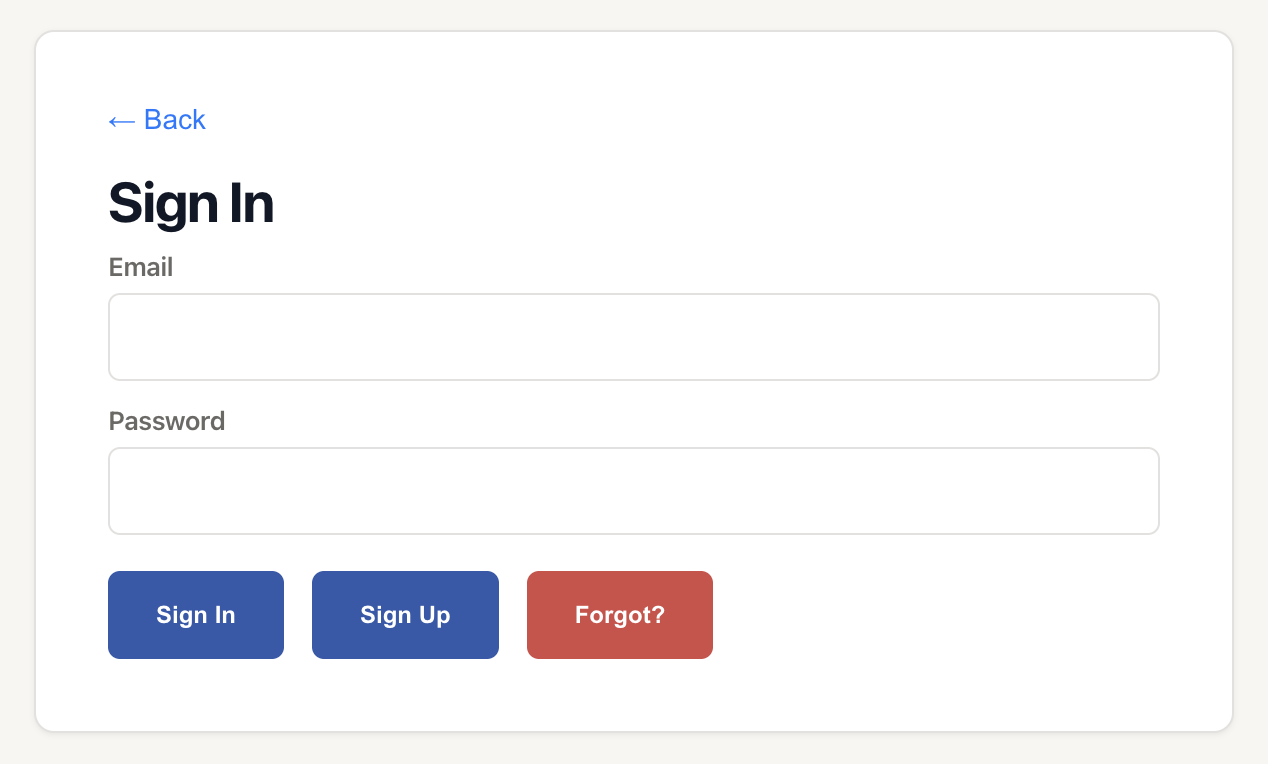
Step 1: Click "Forgot?"
On the login page, click the Forgot? button below the password field.
Step 2: Enter Your Email Address
Enter the email address associated with your VBallStat account in the provided field.
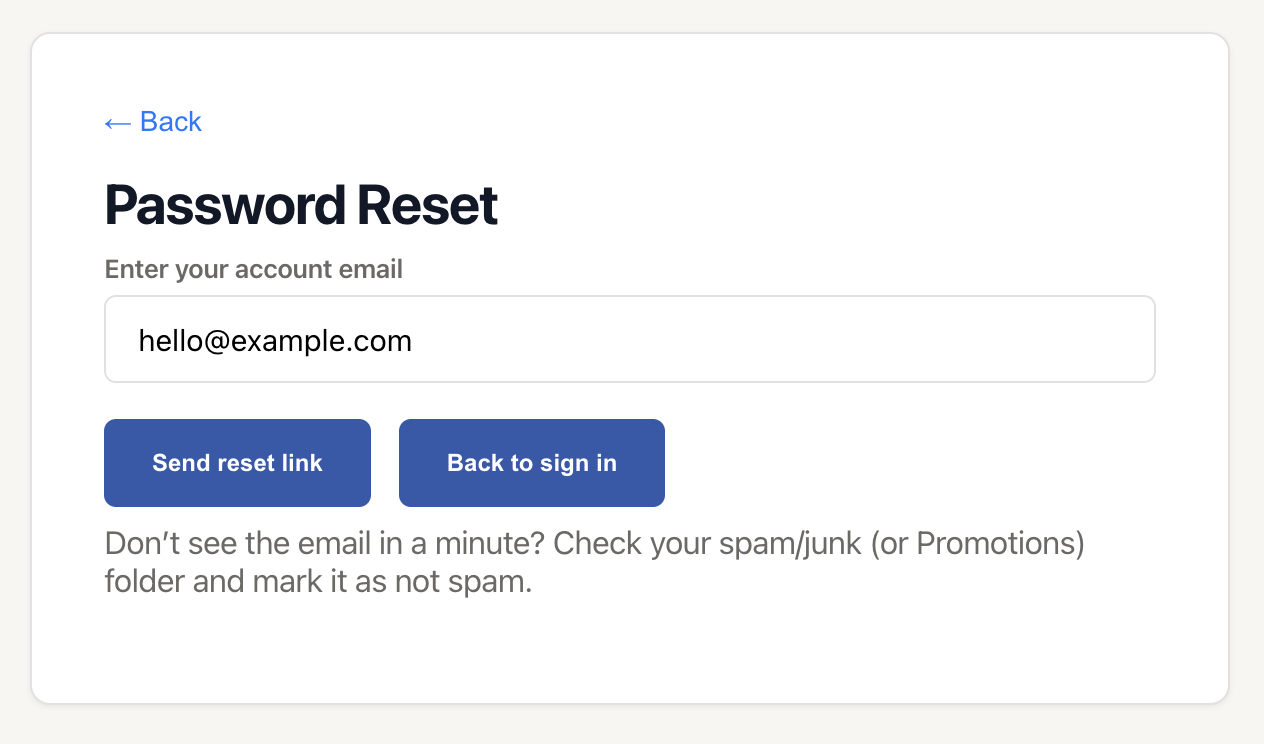
Step 3: Click "Send reset link"
Click the Send reset link button. You'll see a confirmation message that the reset email has been sent.
Step 4: Check Your Email
Open your email inbox and look for the password reset email from VBallStat. If you don't see it in your inbox, check your spam or junk folder.
Step 5: Click the Reset Link
Open the email and click the password reset link. This will take you to a page where you can create a new password.
Step 6: Create a New Password
Enter your new password in both fields to confirm it, then click the button to save your new password.
Step 7: Log In
Once your password has been reset, you'll be redirected to the login page. Use your email address and your new password to log in to your account.
Troubleshooting
Didn't receive the reset email?
- Check your spam folder – Sometimes reset emails are filtered as spam
- Verify your email address – Make sure you entered the correct email associated with your account
- Wait a few minutes – Email delivery can sometimes be delayed
- Try again – Request another password reset link
Reset link expired?
Password reset links expire after a certain period for security reasons. If your link has expired, simply request a new one by going through the password reset process again.