Setting up your team in VBallStat is quick and easy. This guide will walk you through creating your team and adding your roster players.
Step 1: Create Your Team
To get started with VBallStat as a coach, you'll first need to create a team:
- From your coach dashboard, click the New button or navigate to the Teams section
- Enter your team name in the form (e.g., "Eagles Varsity", "Beach Volleyball Club")
- Click Create Team to save
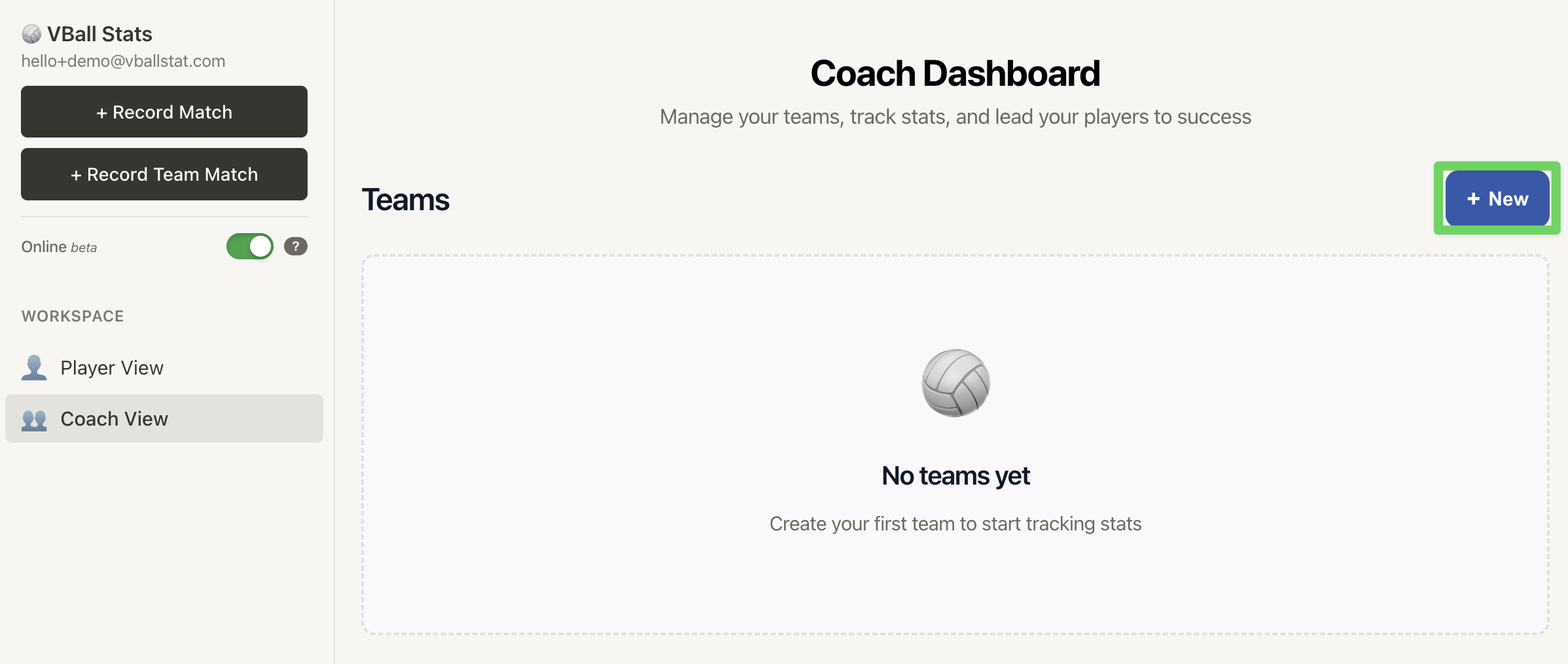
Once created, you'll be redirected to the roster management page where you can start adding players.
Step 2: Add Players to Your Roster
After creating your team, you can add players to your roster. Each player can have a name, jersey number, position, and optional photo.
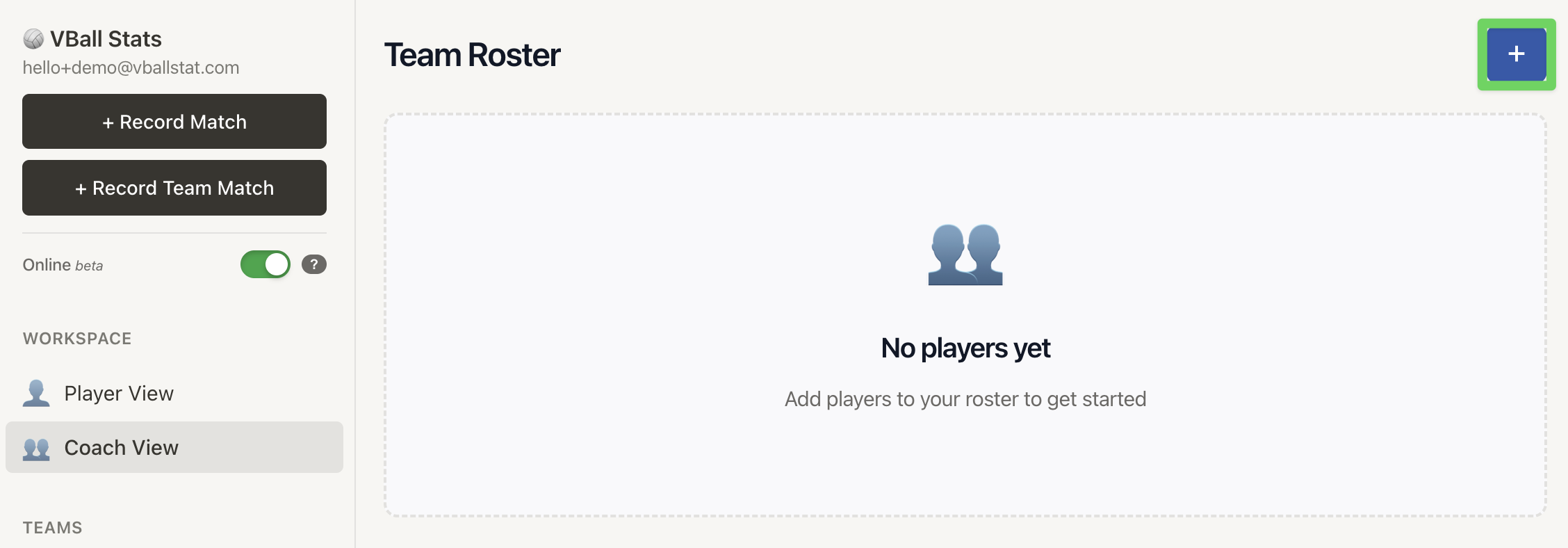
Adding a New Player
- Click the + button on the roster management page
- Fill in the player details:
- Name: Player's full name (required)
- Number: Jersey number (optional)
- Position: Primary position like Outside Hitter, Setter, Libero, etc. (optional)
- Photo: Upload a player photo (optional, max 2MB)
- Click Add Player to save them to your roster
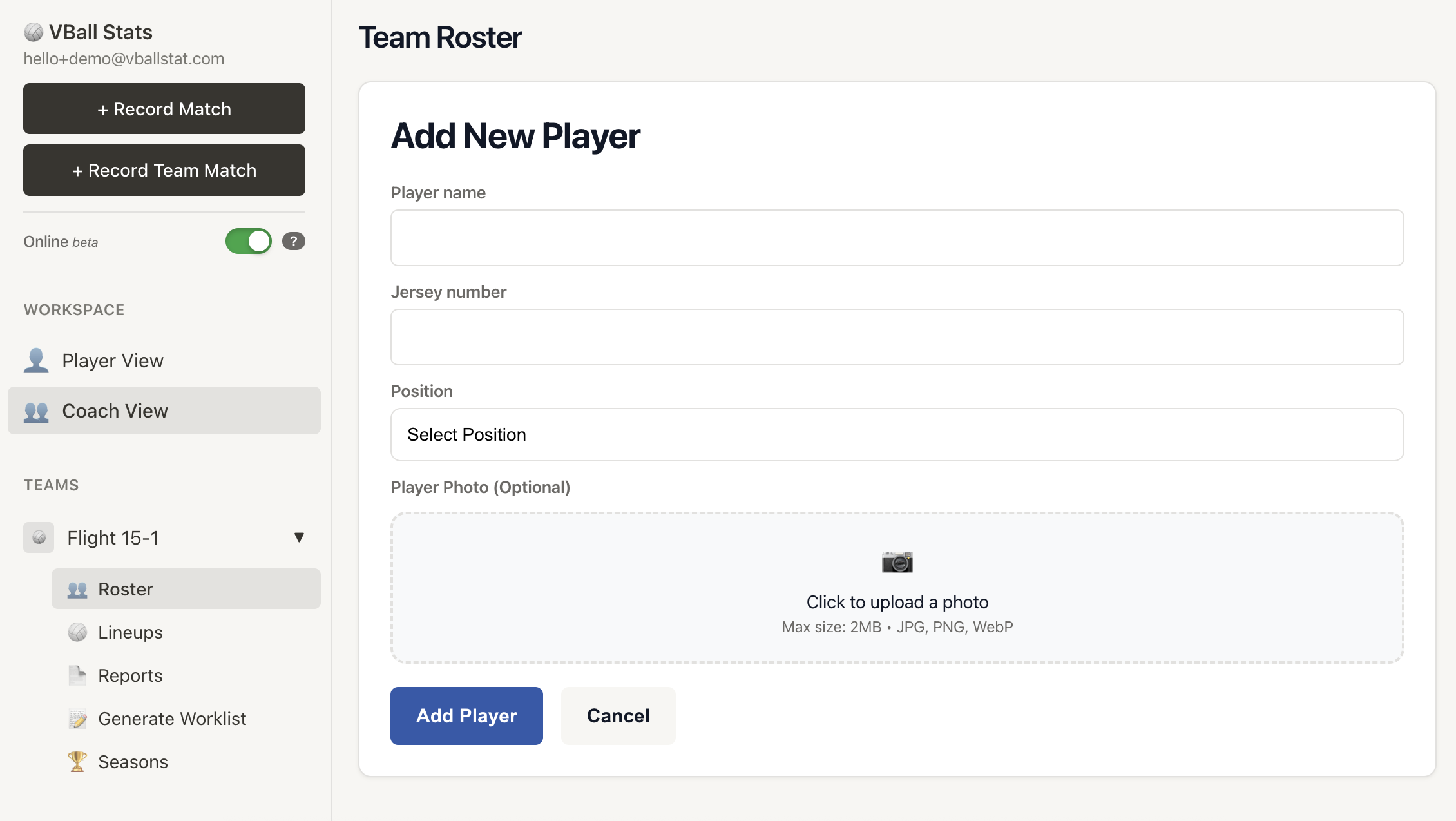
Player Photos
Player photos are optional but help you quickly identify players during match recording. When uploading photos:
- Images must be smaller than 2MB
- Photos are automatically compressed and resized to 400px width for optimal performance
- Supported formats: JPG, PNG, and other standard image formats
Step 3: Manage Your Roster
After adding players, you can view and manage your complete roster:
- View Players: Your roster displays sorted by jersey number
- Edit Players: Click on any player to update their information
- Player Codes: Each player automatically receives a unique share code when added, which can be shared with parents, so parents can monitor and track their player's stats.
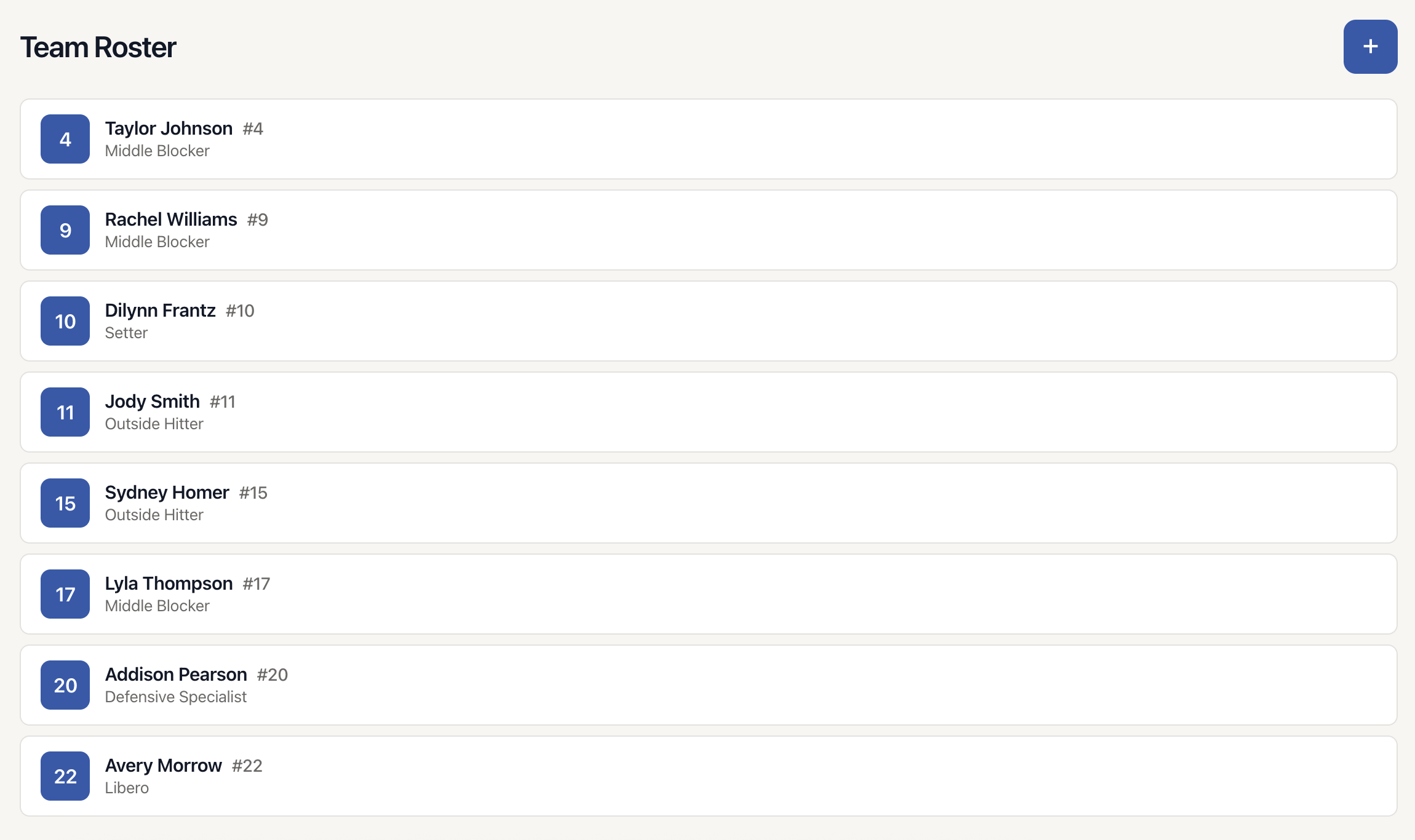
What Happens Next?
Once your team and roster are set up, you can:
- Create seasons to organize your stats by year or competition
- Record matches and track detailed player statistics
- View team and individual player performance reports
- Share player stats with athletes using their unique share codes
Tips for Success
- Add all players early: Set up your complete roster before recording your first match to make stat tracking easier
- Use jersey numbers: Including numbers helps you quickly identify players during live match recording
- Update positions: Keep position information current, especially if players rotate or change roles throughout the season
- Include photos: Player photos make the roster easier to navigate and more visually appealing