After adding your first player, the next step is to create a season. Seasons help you organize your volleyball stats by time period, team, or competition level. This guide will walk you through setting up your first season.
What is a Season?
A season is a container for all matches and statistics within a specific time period. You might create seasons for:
- School years (e.g., "2025 Varsity Season")
- Club seasons (e.g., "Spring 2025 Club")
- Competition levels (e.g., "JV Fall 2024")
- Different teams (e.g., "Lincoln High School" vs "Elite Volleyball Club")
Each season tracks matches, statistics, and performance trends independently.
How to Create a Season
1. Access the Season Creation Page
To create a season:
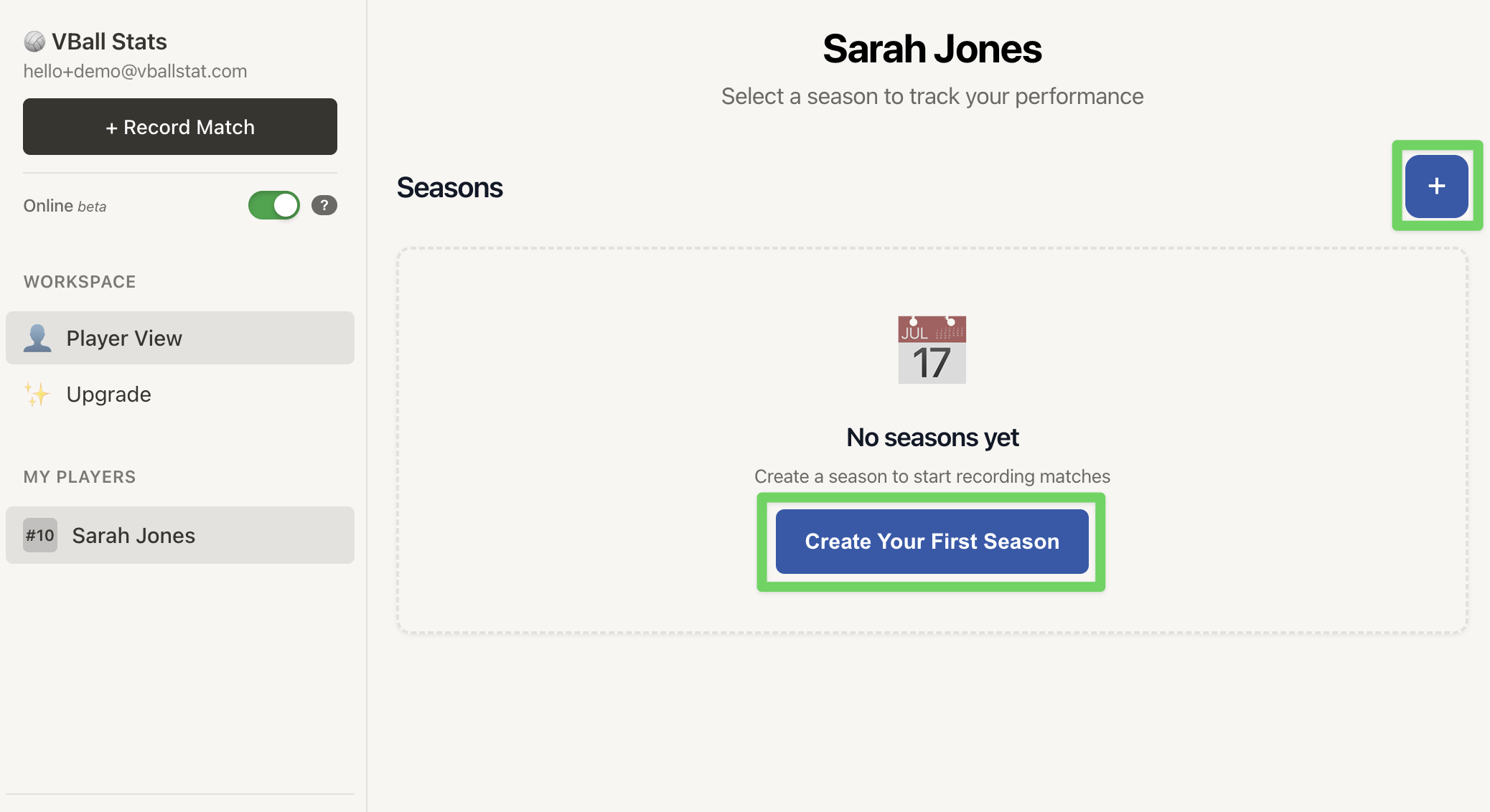
- Click on your player from the "My Players" area
- Next, click the "+" or "Create Your First Season" button
3. Enter Season Information
Fill out the season details:
Season Name (Required)
- Give your season a descriptive name
- Examples: "2025 Varsity", "Spring Club Season", "JV 2024-2025"
- Tip: Include the year and level for easy identification
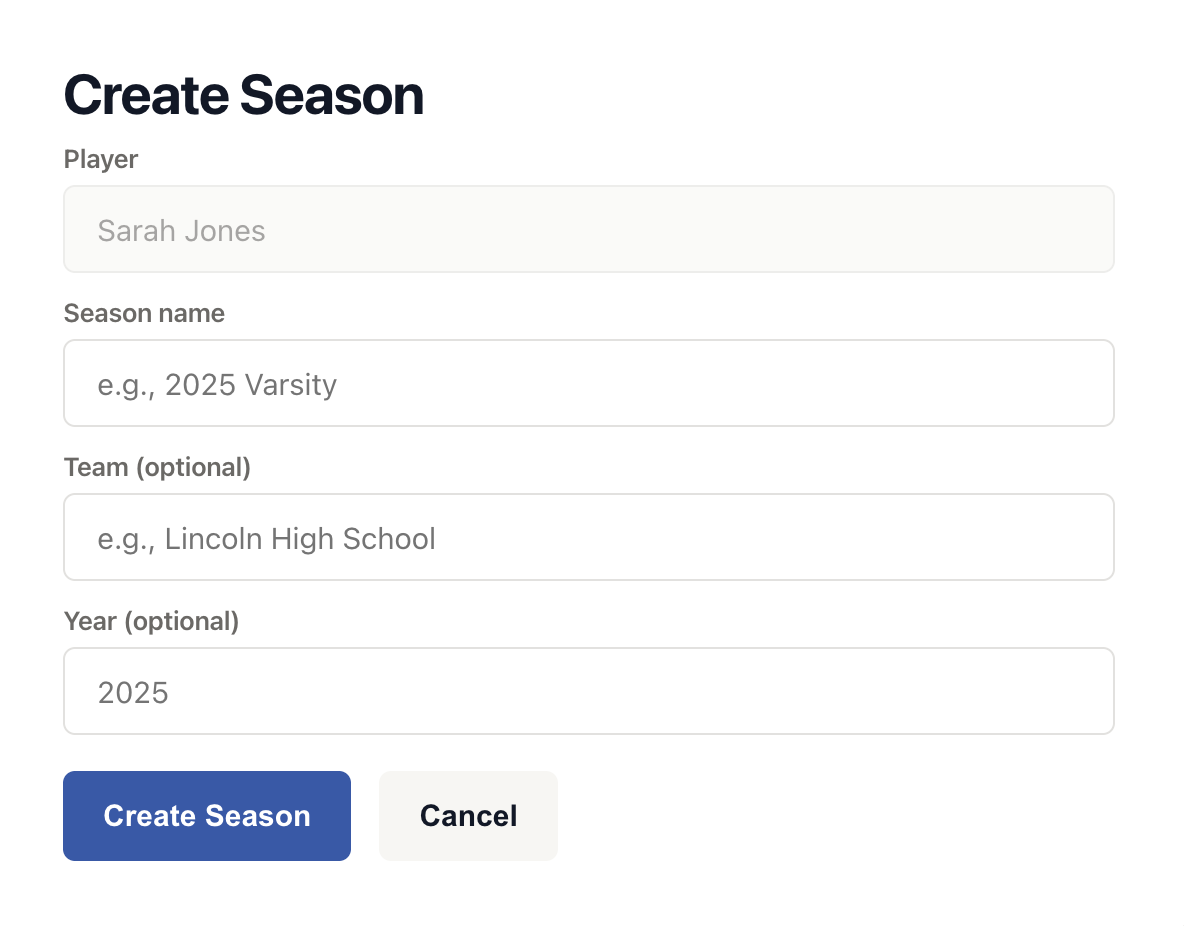
Team (Optional)
- Enter the team or school name
- Examples: "Lincoln High School", "Elite Volleyball Club", "Coastal Volleyball"
- This helps distinguish between different teams if a player competes for multiple organizations
Year (Optional)
- Enter the year for reference
- Examples: "2025", "2024-2025"
- Useful for sorting and organizing historical data
4. Create Your Season
Once you've filled in the information:
- Review your entry to ensure accuracy
- Click the "Create Season" button
Once the season is created, you will be taken back to your dashboard, and the season will appear with your player when viewing your Player dashboard.
What Happens After Creating a Season?
After creating your season, you'll be able to:
- Record Match: Start tracking match statistics immediately
- View Stats: Access detailed performance analytics (once you have match data)
- Edit Season: Update season information at any time
- Add Tournaments: Add tournaments to track games tied to individual tournaments the player participates in
Managing Multiple Seasons
Account Limits
- Free Account: 1 seasons per player
- Pro Account: Unlimited seasons per player
- Coach Account: Unlimited seasons with team management features
Switching Between Seasons
If a player has multiple seasons:
- Navigate to the player's profile
- Click on any season name to view its specific data
- Each season maintains its own matches and statistics
Editing Season Information
You can update season details at any time:
- Go to the season dashboard
- Click "Edit Season" or the settings icon
- Modify any information
- Click "Save Changes"
Season Organization Tips
✓ Use clear naming conventions - Include year, level, and team for easy identification
✓ Create separate seasons for different teams - If your player competes for multiple organizations, create a season for each
✓ Archive old seasons - Keep your dashboard organized by focusing on current seasons
✓ Start recording matches immediately - The more data you have, the better your insights will be
Understanding Season vs. Player Stats
Season Stats: Show performance for a specific time period or team
- Compare performance across different seasons
- Track improvement year over year
- Analyze team-specific performance
Player Stats: Aggregate all seasons for an overall career view
- See lifetime totals and averages
- Identify long-term trends
- Compare overall performance metrics
Common Questions
Can I delete a season?
Yes, you can delete a season from the season settings. Note that this will permanently delete all associated match data and statistics.
Can I move matches between seasons?
Yes! If you accidentally attach a match to the wrong season, matches can be edited to adjust the season it should be attributed to.
How many seasons should I create?
Most users create one season per competition period (e.g., one for fall high school, one for spring club). You can create as many as needed based on your account type.
Can I edit a season after recording matches?
Yes, you can edit the season name, team, and year at any time. This won't affect any recorded match data.
What if my player switches teams mid-season?
You have two options:
- Keep all matches in one season and note the team change in match notes
- Create a new season for the new team (recommended for clearer statistics)